
Before NutriProZ formulas can be made and shipped out to patients, the ingredients need to be approved in the back end of your Well ProZ shop. Follow the instructions below to approve or make changes to NutriProZ formulas.
Edit and Send NutriProZ Formulas
1. Click "Recommendations"

2. Click "Recommendation Requests"

3. Click "Type"

4. Click "Formula"
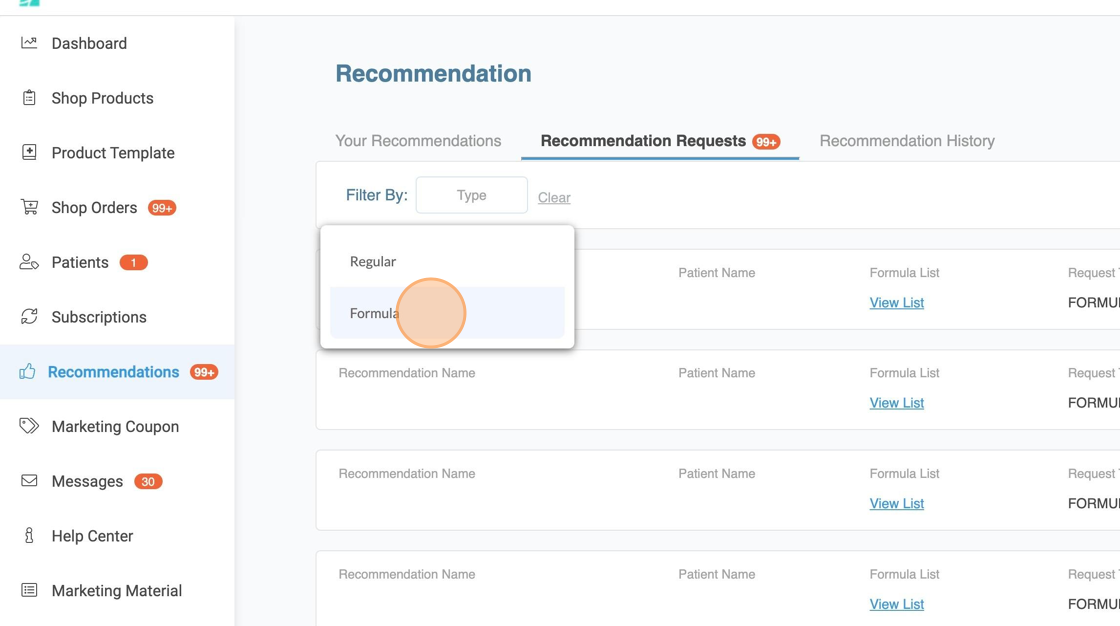
5. Click here.

6. Click "Edit & Approve Formula"

7. Click this field to edit dose
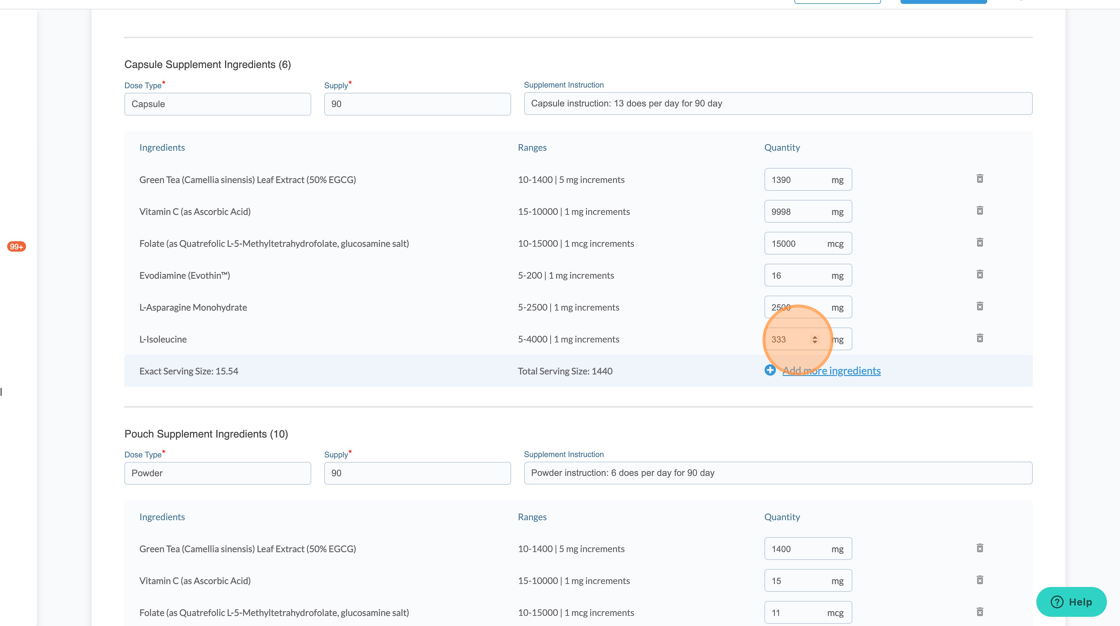
8. Type new dose. Example: 200
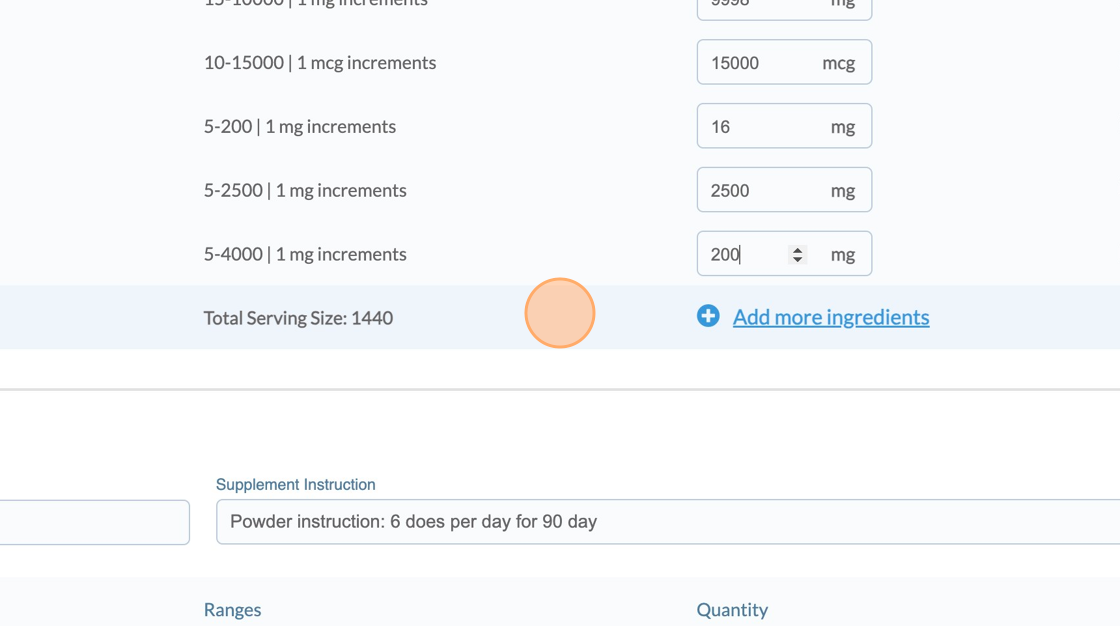
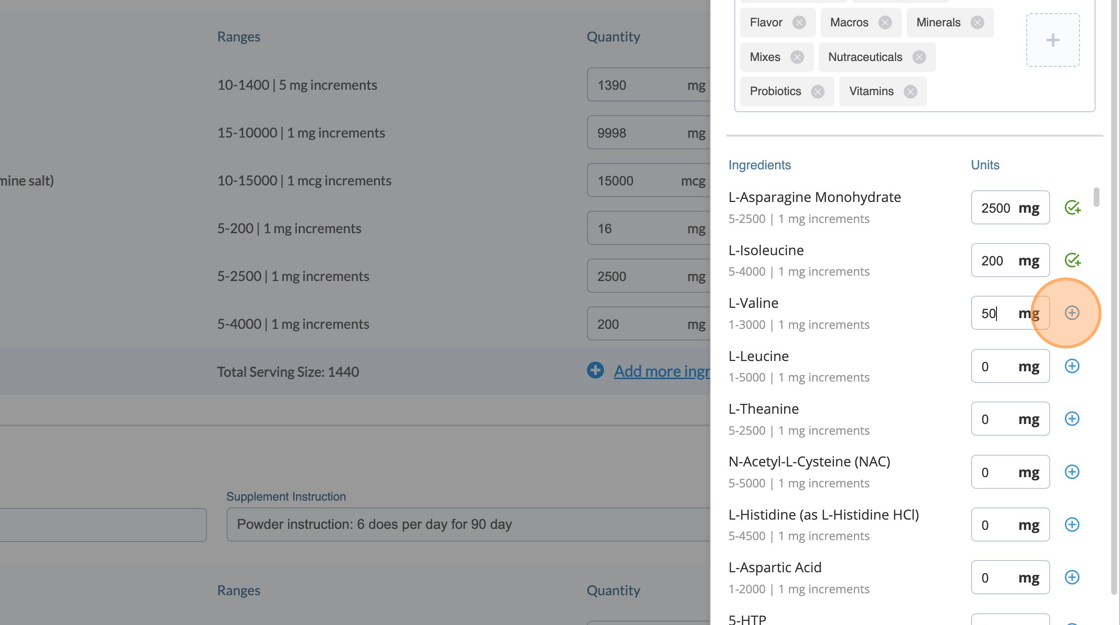
9. Click "Add more ingredients" to add to the formula. Please note there are limitations to adding ingredients and doses. The formula must be contained within preset price range.

10. Click this number field.

11. Type dose. Example: 50
12. Click this "+" icon
13. Pouch formulas can be converted to capsules by clicking "Convert pouch to capsule".
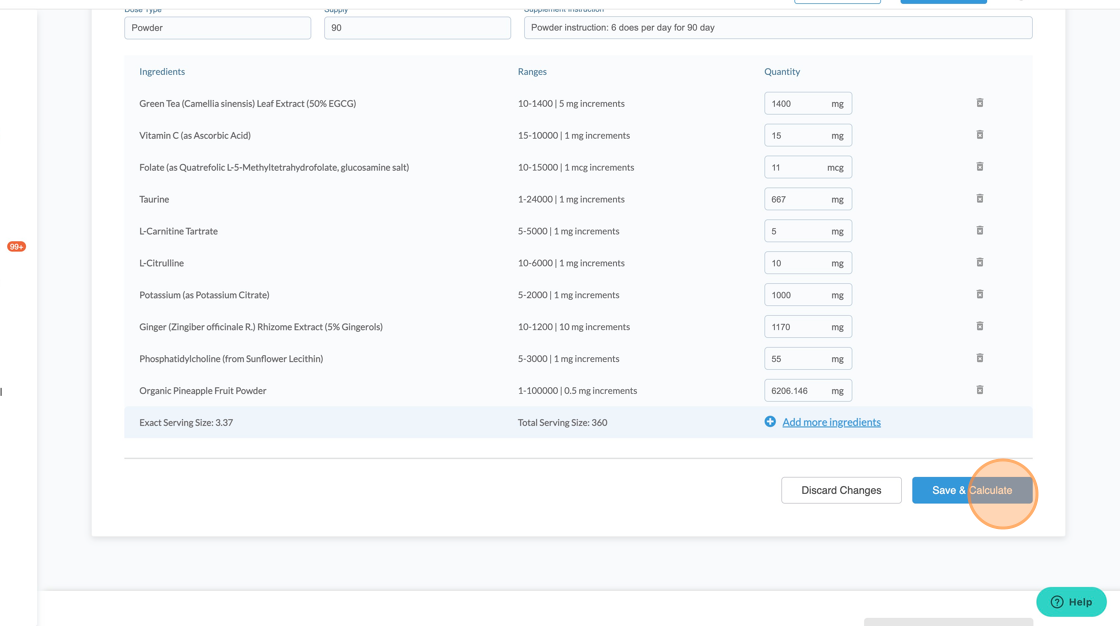
14. Click "Save & Calculate". This will save the formula changes and check to make sure the new formula is within the correct price range.
15. Click "OK"

16. Click "OK"

17. Click "Send Recommendation & Report" once all edits are complete and saved

18. Click "YES" to confirm

For more assistance, please contact support through Live Chat or email support@vibrant-america.com.