
Patient Creation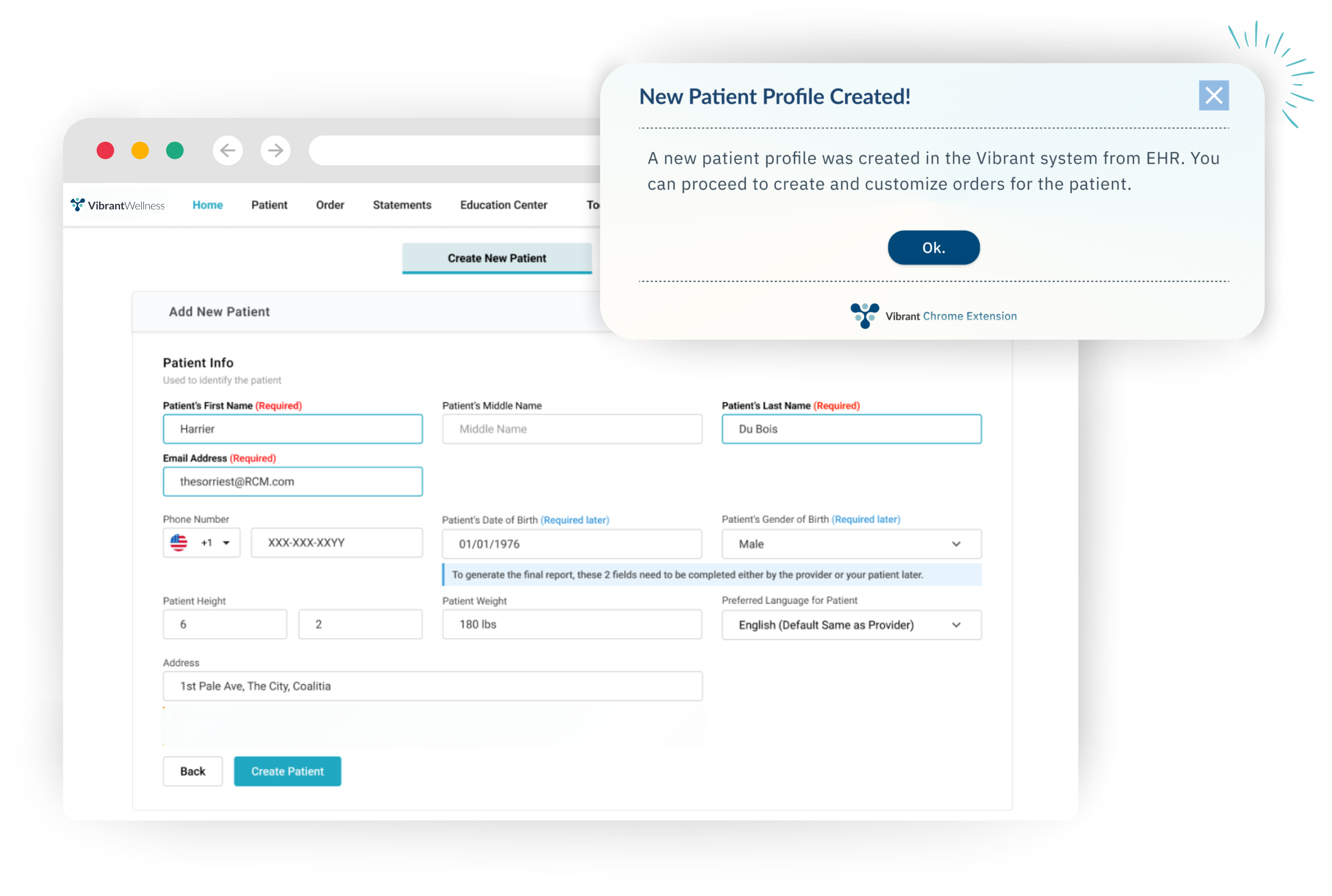
When a patient record in the EHR does not already exist in Vibrant, the extension automatically creates a new patient profile in the Vibrant Provider Portal. If discrepancies exist between patient details in the EHR and the Vibrant system, the extension reconciles the data to ensure consistency across both platforms. This process helps maintain accurate records and reduces the chance of mismatched information.
Ordering
Users can place Vibrant lab test orders directly within the EHR through a side pop-out module. Patient details are pre-filled from the EHR record, eliminating the need for duplicate entry. When placing an order, the extension opens a new window with the patient’s information already entered in the Vibrant ordering menu. Tests can then be selected, a payment method confirmed, and the order submitted while continuing work in the EHR.
Tracking Orders
The extension allows users to view the status of orders within the EHR. Status updates sync automatically, providing real-time visibility into whether a test kit has shipped, been received, or processed. When viewing an order, the extension opens a new tab directly to the patient’s order information section, keeping details clear and accessible.
Accessing Reports
Completed lab reports can be downloaded directly from the Chrome Extension. Reports are matched to the patient record, enabling providers to review results without logging into the Vibrant Provider Portal separately. When accessing results, the extension opens the test report section and allows users to choose which type of report to download.
How to Install
Open the Chrome Web Store, and search for “Vibrant Chrome Extension”. Add the Extension to Chrome by clicking on Add to Chrome.
Select Add Extension in the confirmation pop-up.
Once added, the Vibrant logo will appear in the Chrome toolbar. Users can pin it for quick access by clicking the puzzle piece icon and selecting Pin next to the Vibrant Chrome Extension.
How To Sync with EHR
1. Log into your EHR of choice.
2. Select on the Vibrant Chrome Extension icon, and sign in with your Provider Portal Credentials
3. Select one of the following options:
- Sync Via Website: The extension captures first name, last name, and email. Patients will receive an email directing them to the MyWellness Portal to complete demographics, payment, and collection instructions.
- Sync Via API: The extension securely passes additional information, including first name, last name, email, address, and gender, into the Vibrant Wellness Portal, reducing the need for patient data entry.
4. Once the Vibrant Chrome Extension has been synced to the EHR, the user can now Order and Track Tests, as well as download Patient Summaries without leaving the EHR system.
The Vibrant Chrome Extension currently integrates with the following EHR platforms:
- Cerbo
- Charm
- GetHealthie
-
Practice Better